Free debt schedule template
Download the template
Free, no email required. Generated by the same engine that renders LivePFS’s lender-ready statements.
Lender-standard structure · Free to use and share · How LivePFS handles data
A debt schedule lists every obligation you owe — loans, lines of credit, credit cards, and notes payable — one row each, with the balance, payment, rate, maturity, and collateral as of a single date. Lenders request one beside a personal financial statement or business financials, and SBA lenders collect the same columns on SBA Form 2202. Download a blank debt schedule below as a print-and-fill PDF, an Excel workbook with live totals, or a CSV — free, no email required.
The template works for either side of the ledger: your personal obligations to accompany a PFS, or an operating company’s debts for a business loan file. Use one schedule per borrower — a person or an entity — and keep them separate.
What’s inside
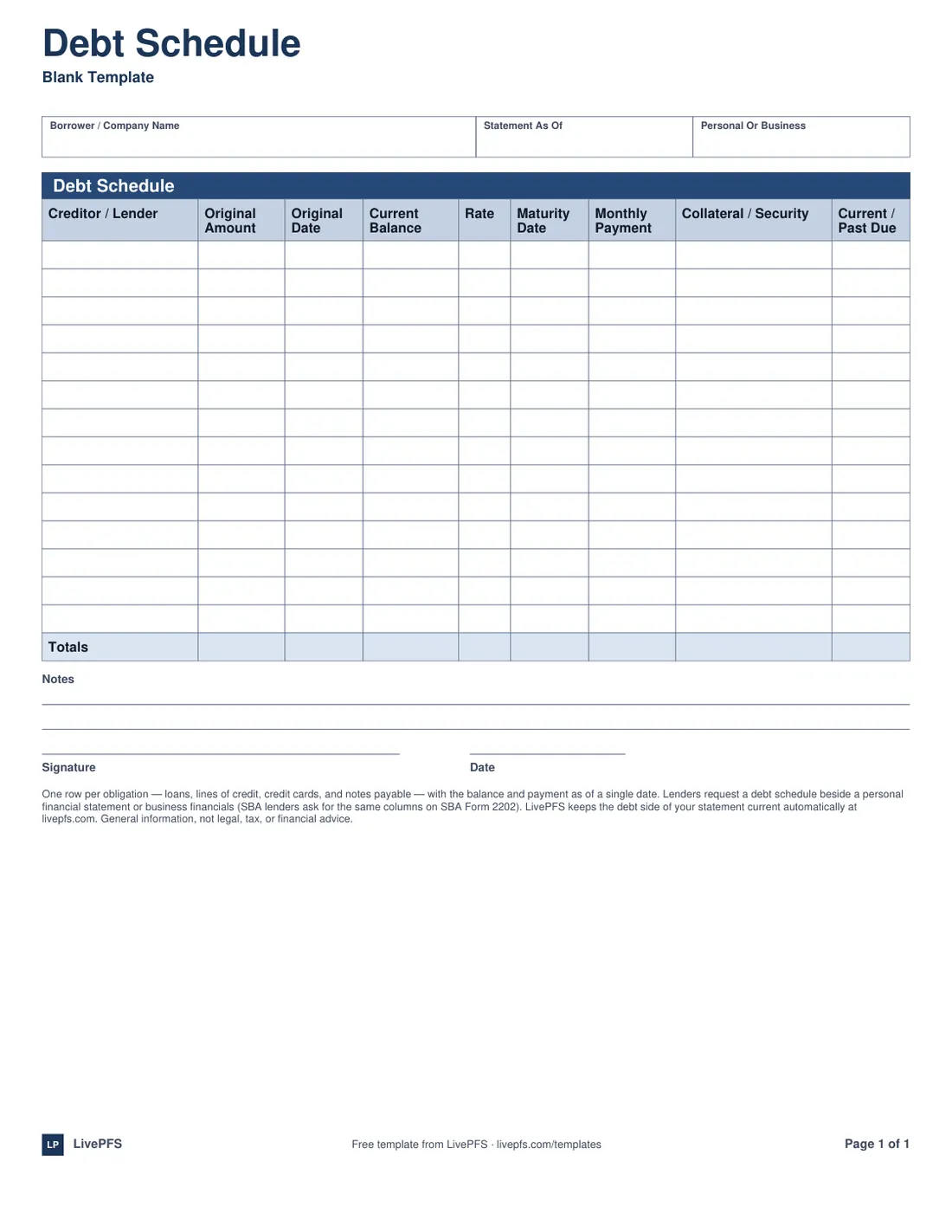
- One row per obligation with the nine columns lenders read: creditor, original amount and date, current balance, rate, maturity, monthly payment, collateral, and current/past-due status.
- A Totals row — computed automatically in the Excel version — that should foot to the liability side of your balance sheet.
- A borrower/company name and as-of date header, plus a personal-or-business designation.
- Notes lines and a signature block, because some lenders ask for the schedule signed.
How to use it
- List every obligation: term loans, lines of credit, credit cards, equipment financing, notes payable — and mortgages, unless the lender wants real estate debt on a separate schedule.
- Use current balances as of one date, and put that date in the header.
- Original amount and date are the loan as it was written; current balance is what remains. Both columns matter — together they show how you handle debt over time.
- Name the collateral securing each debt, or write "unsecured." Blank reads as "didn’t say," which is worse than either answer.
- Mark each row current or past due honestly — the credit report beside your file already knows.
The columns, explained
Nine columns, and each one answers a specific underwriting question:
- Creditor / lender — who holds the debt. Use the servicer’s name as it appears on statements, so the reader can match rows to the credit report.
- Original amount and original date — the obligation as written. A loan taken at $500,000 in 2020 with $180,000 remaining tells a repayment story; the columns exist so that story is visible.
- Current balance — the payoff figure as of your as-of date, not the original amount and not a rounded guess.
- Rate and maturity date — the terms. Maturity dates get read closely: balloons and renewals due soon are exactly what a new lender needs to know about.
- Monthly payment — the actual payment, including escrow if that is how you pay it (note which).
- Collateral / security — what stands behind the debt. "Unsecured" is a complete answer; blank is not.
- Current / past due — the status column. One honest "past due — payment plan in place" outperforms a clean-looking schedule the credit report contradicts.
Personal vs. business debt schedules — and SBA Form 2202
The same column set serves two different documents. A personal debt schedule expands the liability section of your personal financial statement — everything with your name or guarantee on it. A business debt schedule lists the operating company’s obligations and pairs with the business financials. Keep them separate: one schedule per borrower, because mixing a person’s and an entity’s debts on one page is the single most common reason a schedule comes back for rework.
SBA lenders collect the business version on SBA Form 2202 (see Lender formats), the companion schedule to Form 413’s personal statement. Form 2202 uses these same columns, so a schedule maintained in this template transfers onto the SBA’s form as transcription — and when your lender supplies their own version, use theirs and copy the rows across.
Common mistakes
- Leaving credit cards off because balances move. They are obligations as of your date like everything else.
- Swapping original amount and current balance — the two most-confused columns on the page.
- Totals that don’t foot to the balance sheet. The schedule’s total should equal the liability lines on your PFS or the company’s balance sheet; a mismatch sends the whole file back.
- Mixing personal and business debts on one schedule.
- Omitting debts you co-signed or guaranteed. If your obligation is contingent, list it on the PFS’s contingent-liabilities section — but a debt you pay monthly belongs here.
Questions, answered
Is this the same as SBA Form 2202?
No — Form 2202 is the SBA’s own schedule of business debts, and when an SBA lender requires it, use their form. This template carries the same column set, so a schedule you maintain here transfers onto Form 2202 row by row.
Do mortgages go on a debt schedule?
Usually, yes — every obligation belongs somewhere. If the lender also wants a real estate schedule, mortgages often live there with the properties they encumber; ask which presentation your lender prefers and don’t double-count the totals.
Should credit cards be listed individually?
List each card with a balance as its own row, with the issuer as creditor and "unsecured" as collateral. Cards with zero balance can be omitted or listed at zero if you affirmatively know the balance is zero.
Can I combine my personal and business debts on one schedule?
No — one schedule per borrower. Your personal obligations support your personal financial statement; the company’s obligations support its financials. Lenders need to see which entity owes what, especially where guarantees connect the two.
General information, not legal, tax, or financial advice.
Debts that track themselves
Connect your loans and cards read-only and LivePFS keeps the debt side of your statement current — balances, payments, and lenders, updated every day and refreshed on demand.
Eligible new subscribers: 7-day free trial, then $190/year for Standard or $290/year for Pro. Card required. Cancel anytime in the first 7 days and you won’t be charged. Compare plans